DeepFiles is 100% native, admin-configurable, and secure by design. Here's the full picture of what it does.
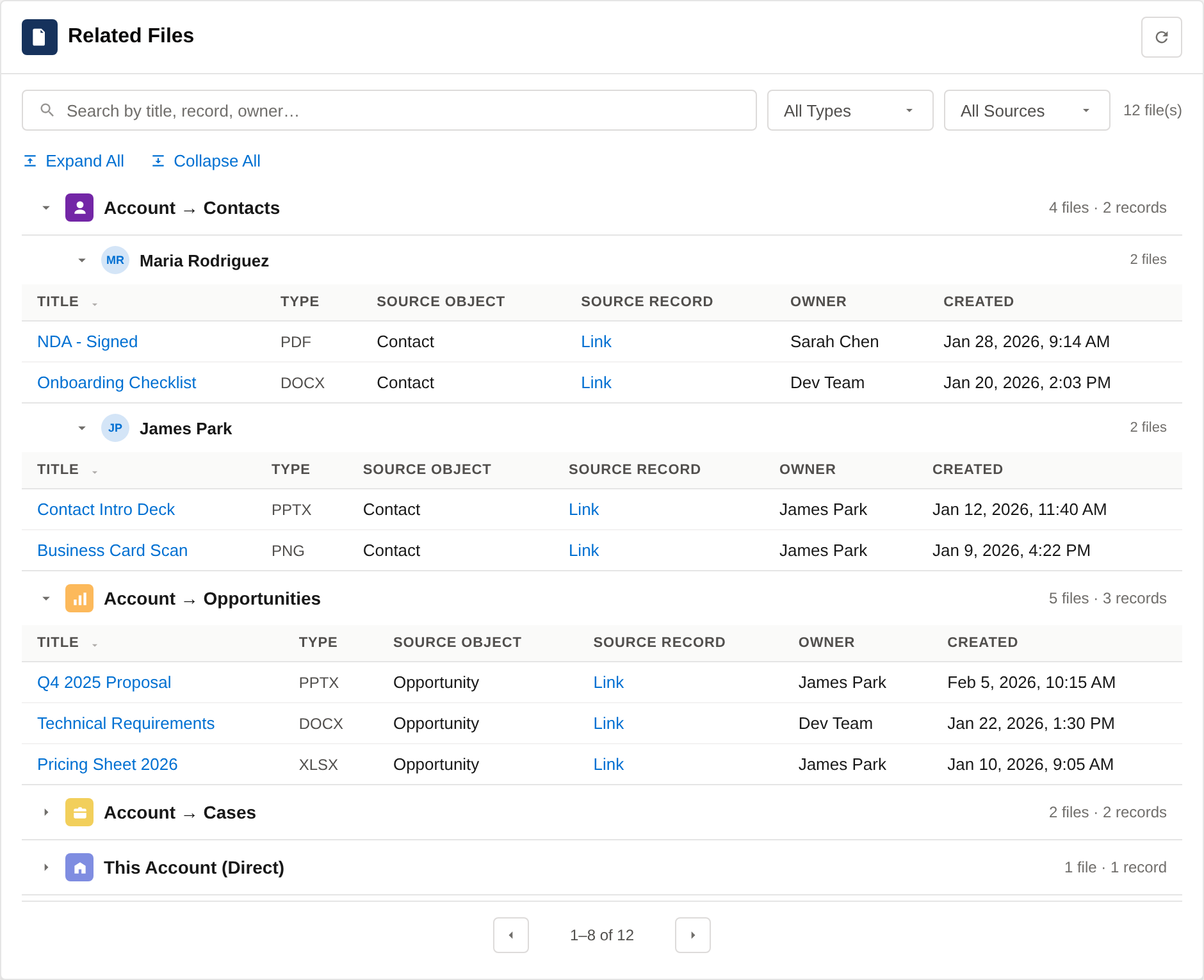
Placed on any Lightning record page, the Viewer surfaces files from the current record and all configured related records — each tagged with its source and relationship.
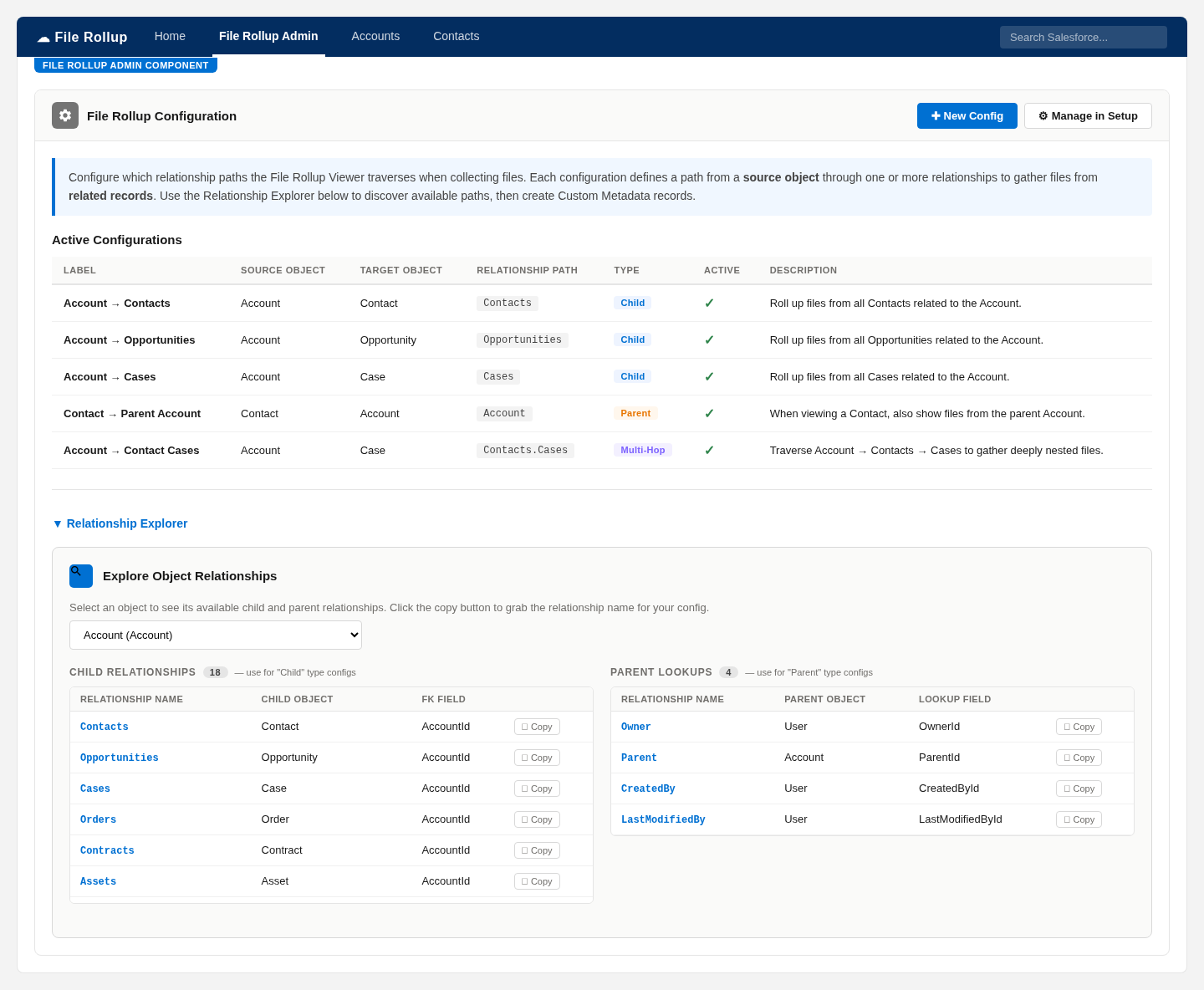
The admin experience turns what used to be a custom Apex project into point-and-click configuration stored in a custom object.
Follow relationships several levels deep. Roll up Case files from Contacts under an Account with a single Multi-hop config like Contacts.Cases.
Pull files down from children Child or up from parent lookups Parent — or both on the same page.
Organize configurations into logical sets per source object, then point each Viewer placement at the group it should show.
Apply criteria with AND/OR filter logic so only files from the records that matter make it into the list.
Show fields from the source record right alongside each file for instant context.
Optional invocable actions — Get Related Files and Get File Insights — let Agentforce retrieve and summarize files. Gated behind a feature flag, off by default.
Security-enforced SOQL, user-mode dynamic queries, and field-level stripping mean users only see files they already have access to.
Ship-ready Admin (full configuration) and User (read-only viewer) permission sets make rollout simple.
Runs entirely inside Salesforce. The only prerequisite is Salesforce CRM Content (Files) being enabled.
DeepFiles never widens access. Every query and operation runs in the user's context and respects your org's sharing model.
Static SOQL uses WITH SECURITY_ENFORCED; dynamic queries run with AccessLevel.USER_MODE.
DML operations use Security.stripInaccessible() so inaccessible fields never leak.
Deletable and accessible checks run before operations, including on aggregate queries.
Test coverage runs under System.runAs() for realistic, per-profile validation.
DeepFiles is coming soon to the Salesforce AppExchange. Get notified the day it launches, or book a demo on your own data now.